It's your first time Signing up but says Incorrect password?
If it shows that your email or password is incorrect, please click the link "Are you a customer? Login here" at the bottom of your login page:
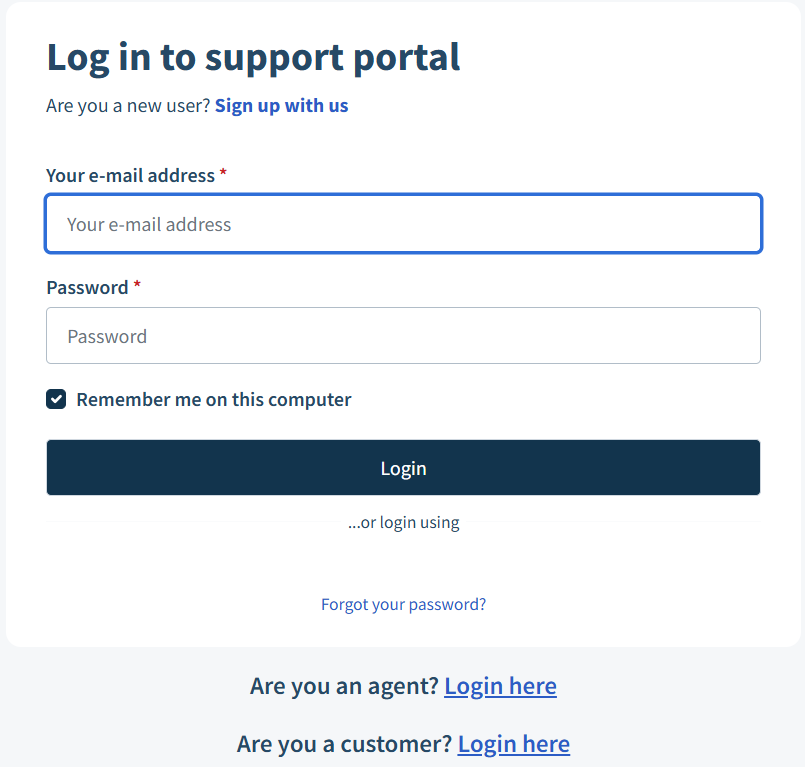
You only need to do this once! After that, just sign in and you’re good to go.
Steps to Signup if you do not have an account:
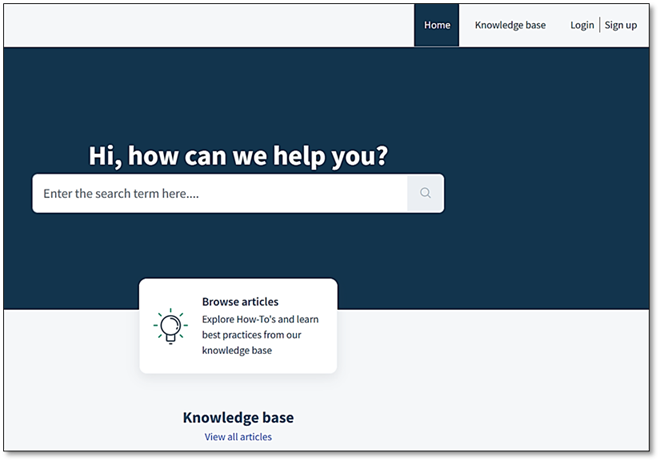
1 | Open your browser Head to Support : Value Logistics Support on any device — laptop, phone, or tablet. No app downloads needed! |
2 | Click ‘Sign Up’
|
3 | Enter your work email Use your Value Logistics email address.
|
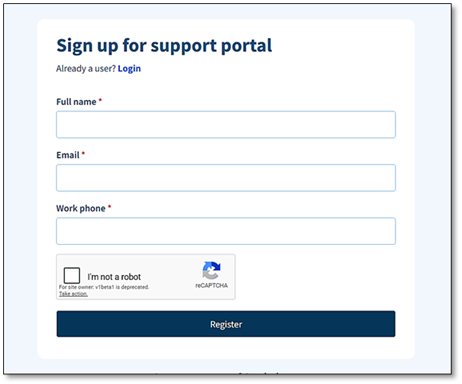
4 | Check your inbox You will get a quick verification email. Click the link inside to confirm your account. |
5 | Set a password & you’re in! Choose a secure password, complete your profile, and you’re all set. Welcome aboard! |
If you need any assistance, please contact IT support.
Was this article helpful?
That’s Great!
Thank you for your feedback
Sorry! We couldn't be helpful
Thank you for your feedback
Feedback sent
We appreciate your effort and will try to fix the article