Connecting to VPN with Cisco Secure Client
Follow these steps every time you need to work remotely
1. Open Cisco Secure Client
Find it in your Start Menu (Windows) or Applications folder (macOS).
2. Click the Connect button 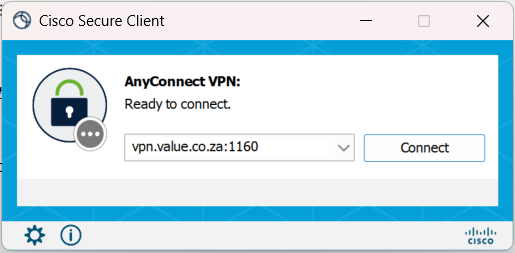
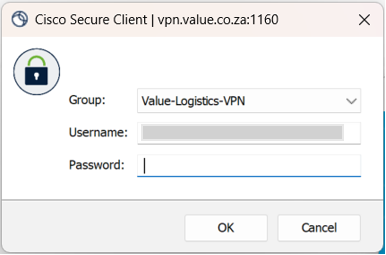
3. Enter your password
Use the same password you use to sign in to your laptop or email.
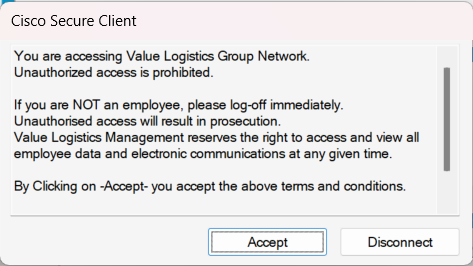
4. Click Accept
Your VPN is connected.
If you require any assistance, please submit a ticket and our IT Support team will get in contact :)
Was this article helpful?
That’s Great!
Thank you for your feedback
Sorry! We couldn't be helpful
Thank you for your feedback
Feedback sent
We appreciate your effort and will try to fix the article