Logging a ticket takes less than 60 seconds —Here’s all you need to do:
1 | Visit the portal Open Support : Value Logistics Support in any browser. No need to install anything! |
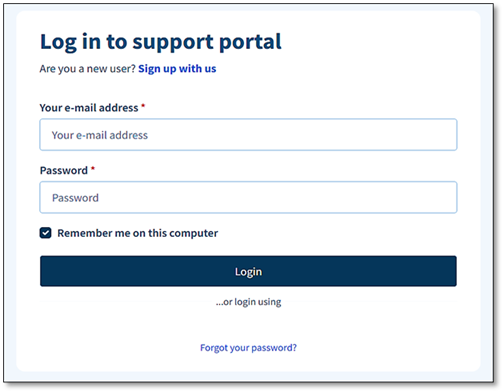
2 | Login to Freshdesk Enter your work email and password, then click Login.
|
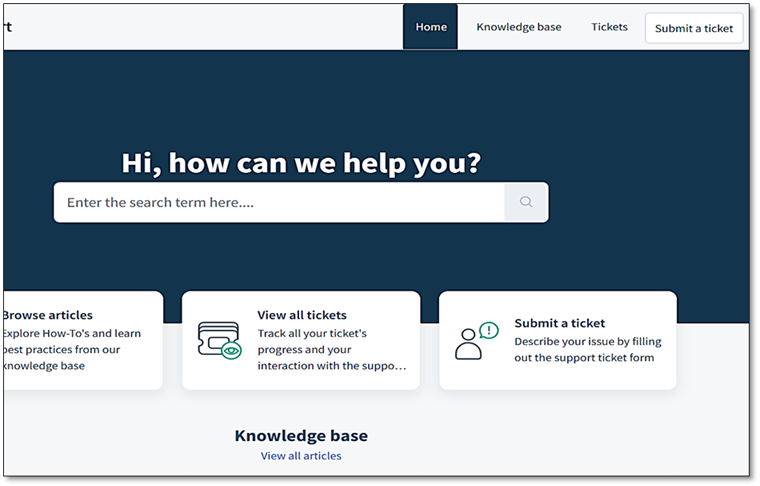
3 | Click ‘Submit a Ticket’ in the home screen You’ll find this button right at the top of the page in the navigation bar.
|
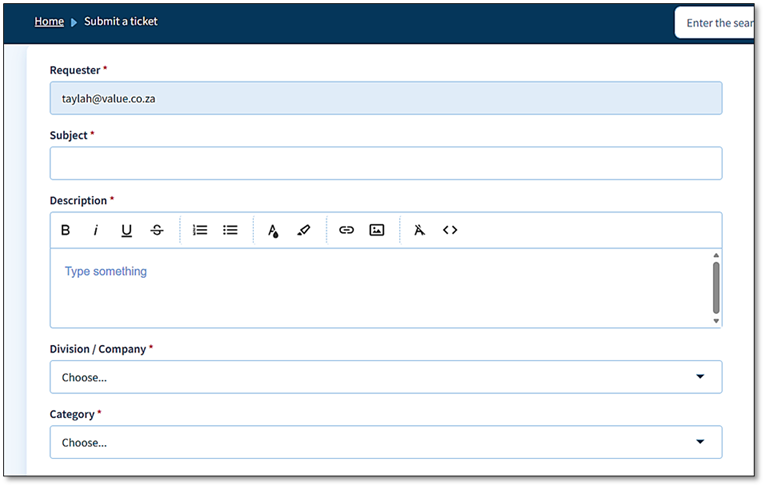
4 | Describe what’s happening
|
5 | Attach a screenshot if you can A picture is worth a thousand words! If you can screenshot the error, please attach it.
|
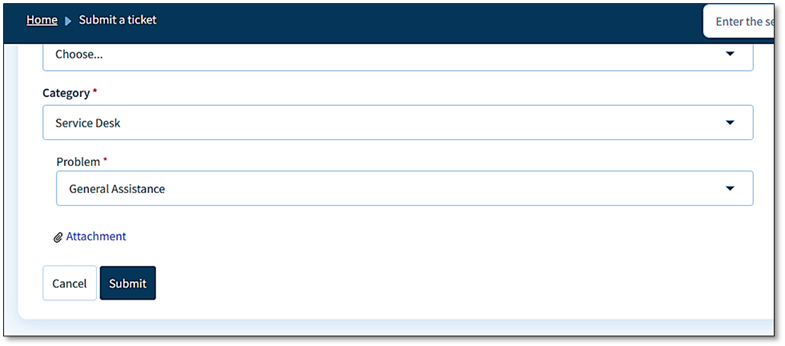
6 | Hit Submit! Track your ticket anytime Click that Submit button and you’re done. A Ticket ID will arrive in your inbox instantly.
|
If you require any assistance, please contact IT Support Team will get in contact :)
Was this article helpful?
That’s Great!
Thank you for your feedback
Sorry! We couldn't be helpful
Thank you for your feedback
Feedback sent
We appreciate your effort and will try to fix the article